Download Kaka, a Free Desktop Pet
Kaka is the real dog behind DeskBub. Try him free on Windows or Mac, then create a desktop pet from your own pet photo when you want something personal.
Available for Windows 10/11 and macOS 12+.
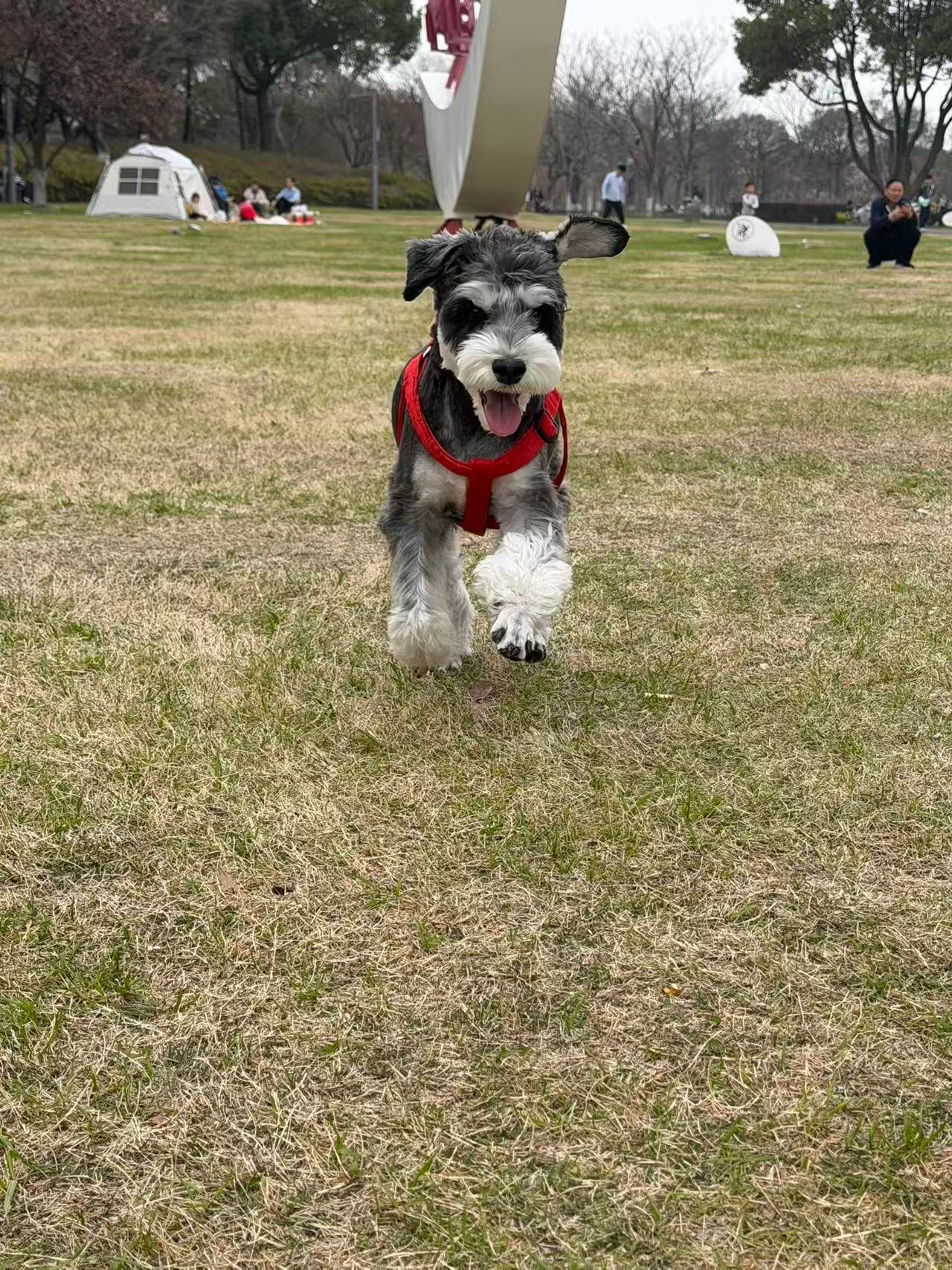
Meet the original
Kaka is a real little dog.
He became DeskBub's first desktop pet after we turned a real photo into transparent animations. Try him free, then create a desktop pet from your own pet photo. DeskBub includes five Kaka actions, water and stretch reminders, instant Show/Hide, plus controls for movement, size, opacity, and sharing.
Download → Install → Meet Kaka
Choose Windows or macOS
Install and open DeskBub
Kaka appears—no code needed
Kaka FAQ
Does Kaka cost anything?
No. Kaka comes with the DeskBub app at no cost. No account or payment is required.
What can I do with him?
Choose from five Kaka actions, move him around your screen, set water and stretch reminders, and adjust his size and opacity.
Can I hide Kaka without quitting?
Yes. Use the Show/Hide control whenever you need a clear desktop.
Can I replace Kaka with my pet?
Yes. Upload a photo of your dog, cat, rabbit, bird, or another pet, then pair the result with the same desktop app.
Love having Kaka around?
Put your own pet on your desktop next. Custom pets start at $2.99 with no subscription.
Upload a Pet Photo